Serving Apps with Taps
A dashboard or internal app usually reads one Outlet. A recurring Refresh keeps that Outlet fresh on a schedule whether or not anyone is looking, and refreshing from the app instead spreads freshness policy through app code and gives every app a key that can refresh anything.
A Tap is an access point on a Pond for one app. It has its own key, and a policy for how fresh the data should be. A query through the Tap sends the Pond a Refresh when the data is older than the policy allows, so the pipeline keeps up while the app is in use and goes quiet when it isn't. Queries with any other key, including the web UI's and the CLI's, never send a Refresh.
Adding a Tap
Add a Tap to the Pond the app reads, usually an Outlet:
duckstring refresh tap add reports --name dashboard --fresh-within 5m
Tap 'dashboard' added on 'reports@1'.
Key for Tap 'dashboard' on 'reports@1'. Copy this key now - it will only be shown once.
  tap_3vQ0mJp...
In the web UI, select the Pond and choose Taps (Refresh on Request) at the foot of its Refresh section:
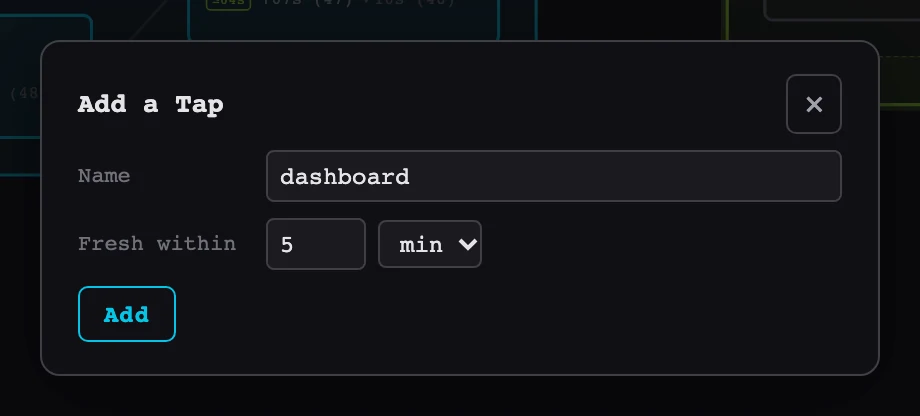
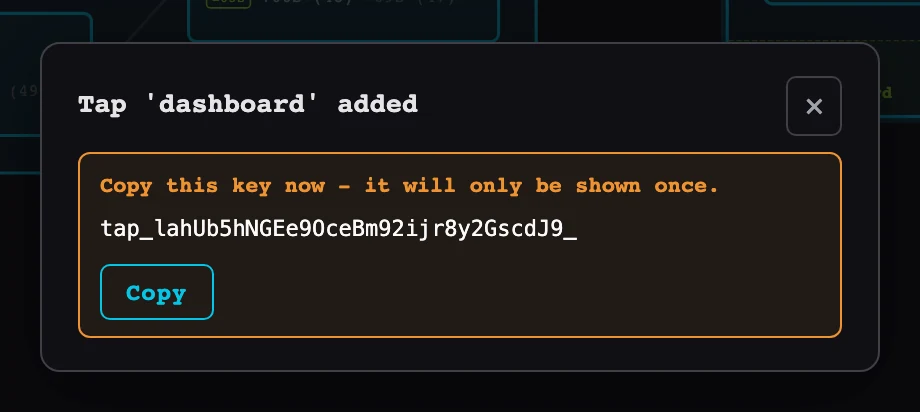
The Catchment keeps only a hash of the key. Store it where the app keeps its other credentials. If it's lost or leaks, duckstring refresh tap rotate reports dashboard prints a new key and the old one stops working at once.
The key reads the tables its Pond exposes to read-only users, like a read-level key (see What read-only users see). The demo's reports exposes monthly_summary in its pond.toml.
A Tap belongs to one major version of the Pond, the highest deployed unless you pass --major. Removing that major version removes its Taps.
Choosing how fresh
A query through a Tap sends a Refresh when the newest request on the Pond, or with none waiting the Pond's freshness, is at least --fresh-within old. This is the clock a recurring --every Refresh uses (see Scheduling), checked when a query arrives instead of on a timer:
--fresh-within 1drefreshes the Pond at most once a day while the app is in use, and not at all while it isn't.- Any other refresh of the Pond counts, whether manual, recurring or from a Sink, so a Tap never adds a run that something else already covered.
--fresh-within 0, the default, refreshes on every query. A request already waiting for the Pond to start a run covers the queries after it, and the pacing described in Orchestration applies as for any frequent Refresh, so a busy app can't make the pipeline run faster than its slowest step allows.
A query is always answered at once from the data already published, and the Refresh it sends lands for the queries after it. While queries keep coming, the data an app sees is at most --fresh-within plus the pipeline's run time old.
Checking freshness
An app can ask how current its data is, for example to show "data as of 06:02" or to reload once a refresh it caused has landed:
curl -H "Authorization: Bearer $DASHBOARD_KEY" http://catchment.internal:7474/api/ponds/reports/freshness
{
  "pond": "reports",
  "major": 1,
  "freshness": "2026-10-17T06:02:11+00:00",
  "changed": "2026-10-17T06:02:11+00:00",
  "refreshing": false,
  "tables": {"monthly_summary": "2026-10-17T06:02:11+00:00"}
}
freshness is the point in time the Pond's data reflects, and changed is when its output last changed (a run that found nothing new advances only freshness). refreshing is true while a refresh is under way. Each table shows when it last changed. Asking doesn't send a Refresh. In Python, Catchment.freshness() returns the same.
Connecting the app
The key works on every way into the Catchment's data. It implies the Pond, so the app needn't name it, and tables can be referred to by bare name as well as by schema (reports.monthly_summary or reports_v1.monthly_summary).
Over HTTP, send the key as a bearer token to /api/query:
curl -X POST -H "Authorization: Bearer $DASHBOARD_KEY" -H "content-type: application/json" \
  -d '{"sql": "SELECT * FROM monthly_summary ORDER BY year, month"}' \
  http://catchment.internal:7474/api/query
From Python, the Catchment client takes it as api_key:
from duckstring import Catchment

c = Catchment("http://catchment.internal:7474", api_key=DASHBOARD_KEY)
df = c.query("SELECT * FROM monthly_summary WHERE year = 2026").df()
Over the Postgres wire protocol, use the key as the password (see From a BI tool or SQL client for enabling it):
psql "host=catchment.internal port=5433 user=dashboard dbname=duckstring password=$DASHBOARD_KEY"
A Catchment without keys never asks a Postgres client for a password, so there a connection can't be recognised as a Tap's. Use HTTP or Arrow Flight with such a Catchment, or give it keys (see Running on a Server). Over Arrow Flight, send the key as the bearer token, as in the Querying example.
The key can do nothing except query its Tap: every other route refuses it.
Watching and removing Taps
duckstring refresh tap ls reports
 Name       Fresh within  Last query  Queries  Refreshes
 dashboard  1h            2m ago      214      9
The Queries and Refreshes columns show how often the app reads and how often it actually caused a run. The same counts are on /metrics as duckstring_tap_queries_total and duckstring_tap_refreshes_total, and the web UI lists a Pond's Taps at the foot of its Refresh section, where clicking one shows these details:
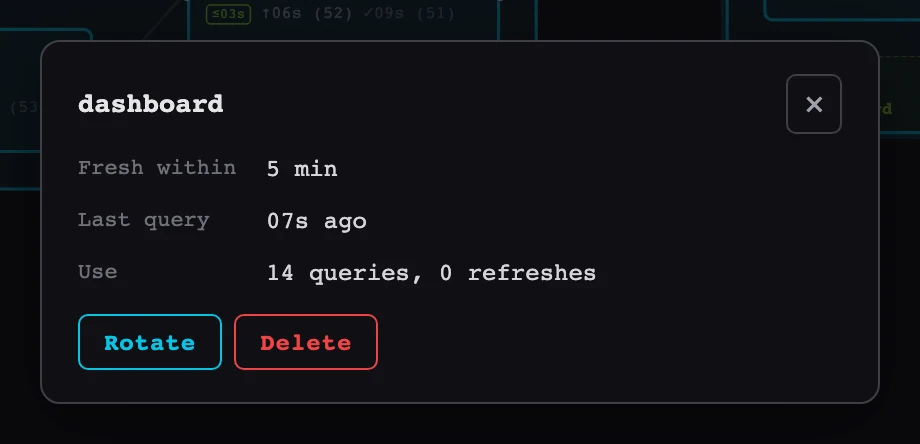
Remove a Tap when the app no longer needs it:
duckstring refresh tap rm reports dashboard
Its key stops working at once, and runs it already caused finish. duckstring control sleep removes a Pond's recurring Refreshes but leaves its Taps, so the next query refreshes the Pond again.